Export, backup & deletion
Take your work with you at any time, keep a backup, and delete your account yourself when you’re done.
Readable export
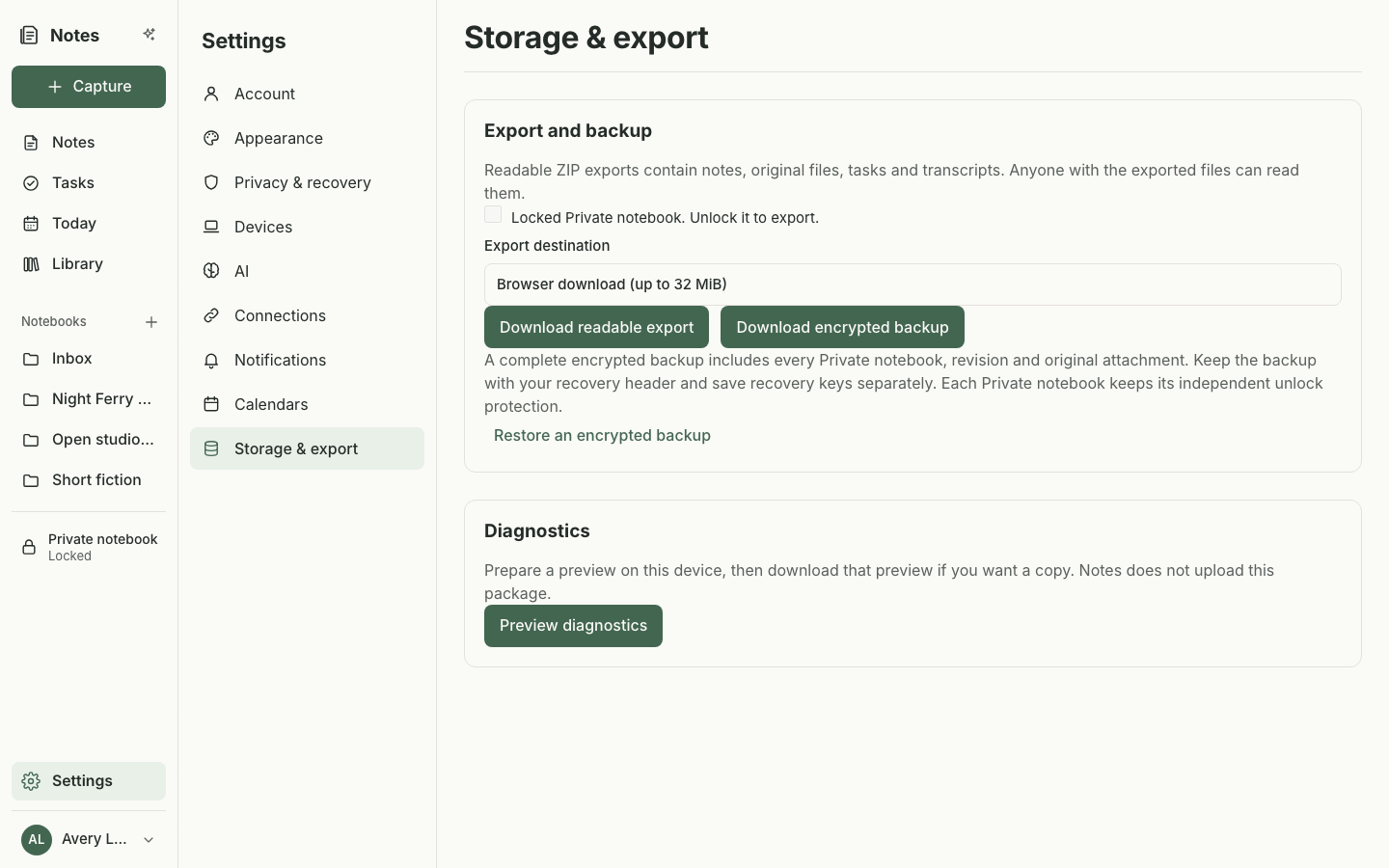
Go to Settings → Storage & export and choose Download readable export. You get a ZIP with each note as Markdown and HTML, original files, tasks and transcripts, plus a manifest. Anyone with the file can read it, so store it carefully.
- Private notebooks are left out unless you unlock them and check the box approving their content for this export.
- Under Export destination, choose a browser download (up to 32 MiB) or a file location for larger archives.
Encrypted backup
Choose Download encrypted backup for a complete copy: every note, Private notebook, earlier version and original attachment, still encrypted. Unlock every Private notebook first. Keep the backup with your recovery header, and keep recovery keys somewhere separate. Each Private notebook keeps its own passphrase inside the backup.
Restore a backup
- Choose Restore an encrypted backup and select the backup ZIP. Start with a copy of anything you want to keep in the current library.
- Enter the password for your notes and each Private notebook’s passphrase.
- Approve the offline restore option, then choose Verify backup contents.
- Check the counts of notes, tasks, attachments, versions and Private notebooks, then choose Use restored library, or Discard restore to leave your current library unchanged.
A restored library opens on this device and stays disconnected from cloud sync.
Trash
Move to Trash (in a note’s … menu) keeps the note, its history and attachments in Trash for a retention period before they’re removed. Find it in Library → Trash.
Delete your account
- Download a backup or readable export if you want to keep anything.
- Go to Settings → Account → Account and sessions.
- Under Delete account, choose Review permanent account deletion and read what will happen.
- Type
DELETE MY ACCOUNTand choose Delete account permanently.
Access is revoked straight away. Your encrypted notes and history, media, keys, credentials, connections, jobs and reminders are removed from the live service, and you get a private receipt; use Open a saved deletion receipt to check that cleanup finished. Encrypted copies on the device you used are kept and locked, other devices and your exports keep their copies, and infrastructure backups expire on their own schedule without reactivating the account. This can’t be undone.
Diagnostics
Preview diagnostics prepares a technical summary on your device that you can download if support asks for it. Emberel doesn’t upload it.