Tasks, Today & reminders
Turn a next step into a task, then use Today to see what’s due alongside your schedule and daily note.
Create a task
- Open Capture → Task or go to Tasks → Add task. Enter a title, optional start and due dates, and a priority.
- To turn a note’s checklist item into a task, put the cursor on the item and choose Promote to task.
- You can also type a task into Quick Capture, review its date and save it.
Start dates, due dates, reminders and repeats
Open a task and choose Edit task details to set:
- Start date: when the task becomes ready. A task that starts in the future appears in Upcoming with its start date.
- Due: when the task must be finished. Leave it blank, enter a date, or add a time.
- Reminder date and time: one alert, independent of the due date. You can ask to be reminded the day before a deadline.
- Repeat: daily, weekly, monthly or yearly. When you complete a repeating task, the next one appears.
- Scheduling timezone: the timezone for timed due dates and reminders.
For example, set a report to start on Monday and be due on Thursday. It can surface when work should begin without making Monday a deadline.
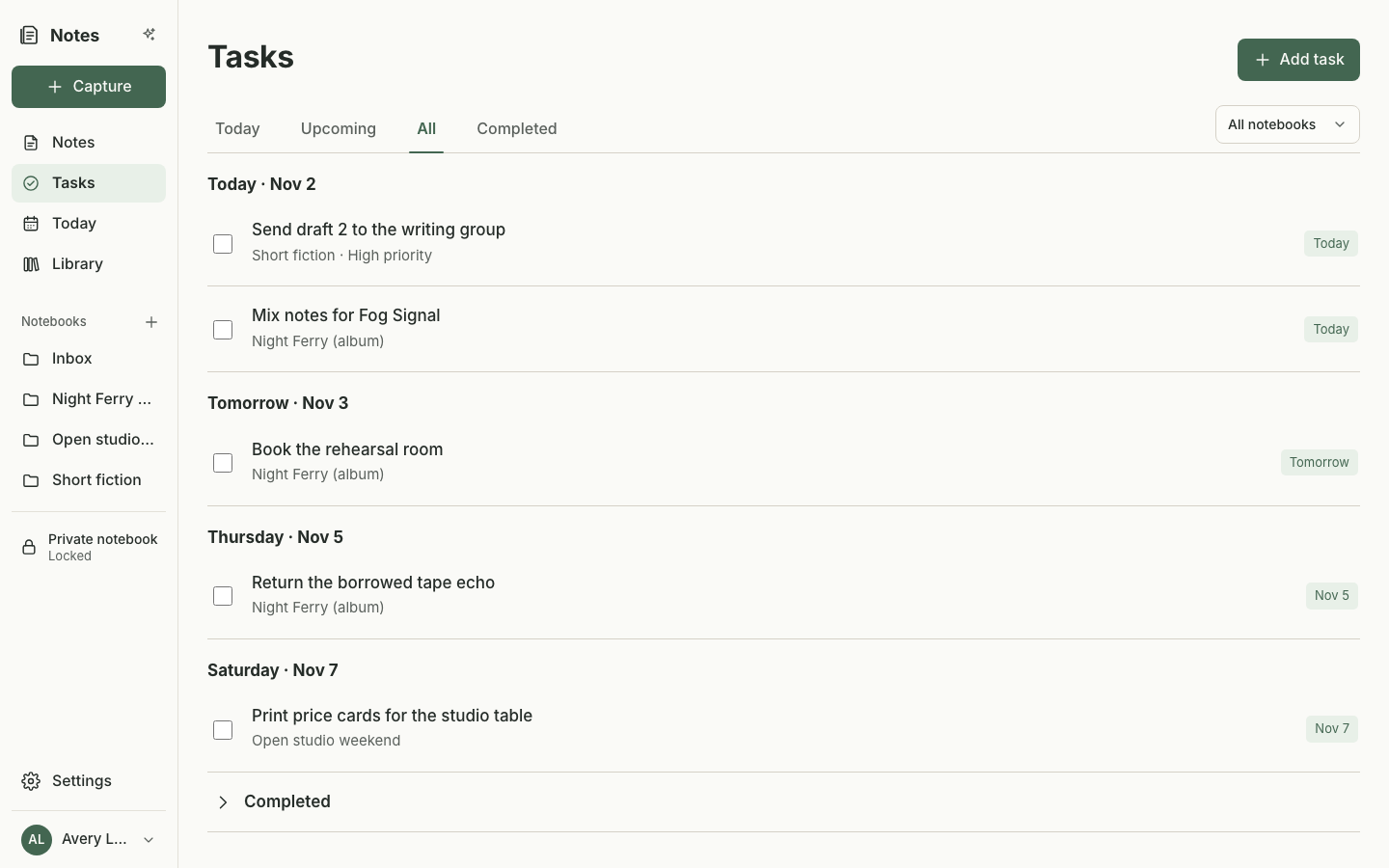
The Tasks page has Today, Upcoming, All and Completed tabs and a notebook filter.
Today
- Due today: see open tasks that are due on that day, already overdue, or starting that day. Use the arrows to look at other days.
- Your schedule: see timed deadlines and events from selected Google calendars. A task deadline here does not reserve time on your calendar.
- Daily note: create or open a note for the selected day.
- Coming up and Weekly review: see what’s ahead or review the week.
- Include Private tasks: show tasks from Private notebooks you’ve unlocked.
Connected Google events can show Join and Create meeting note. With write access to an eligible calendar, choose Add event to create a Google Calendar event from Emberel. See Calendar & connections for setup and limits.
Choose when Today starts
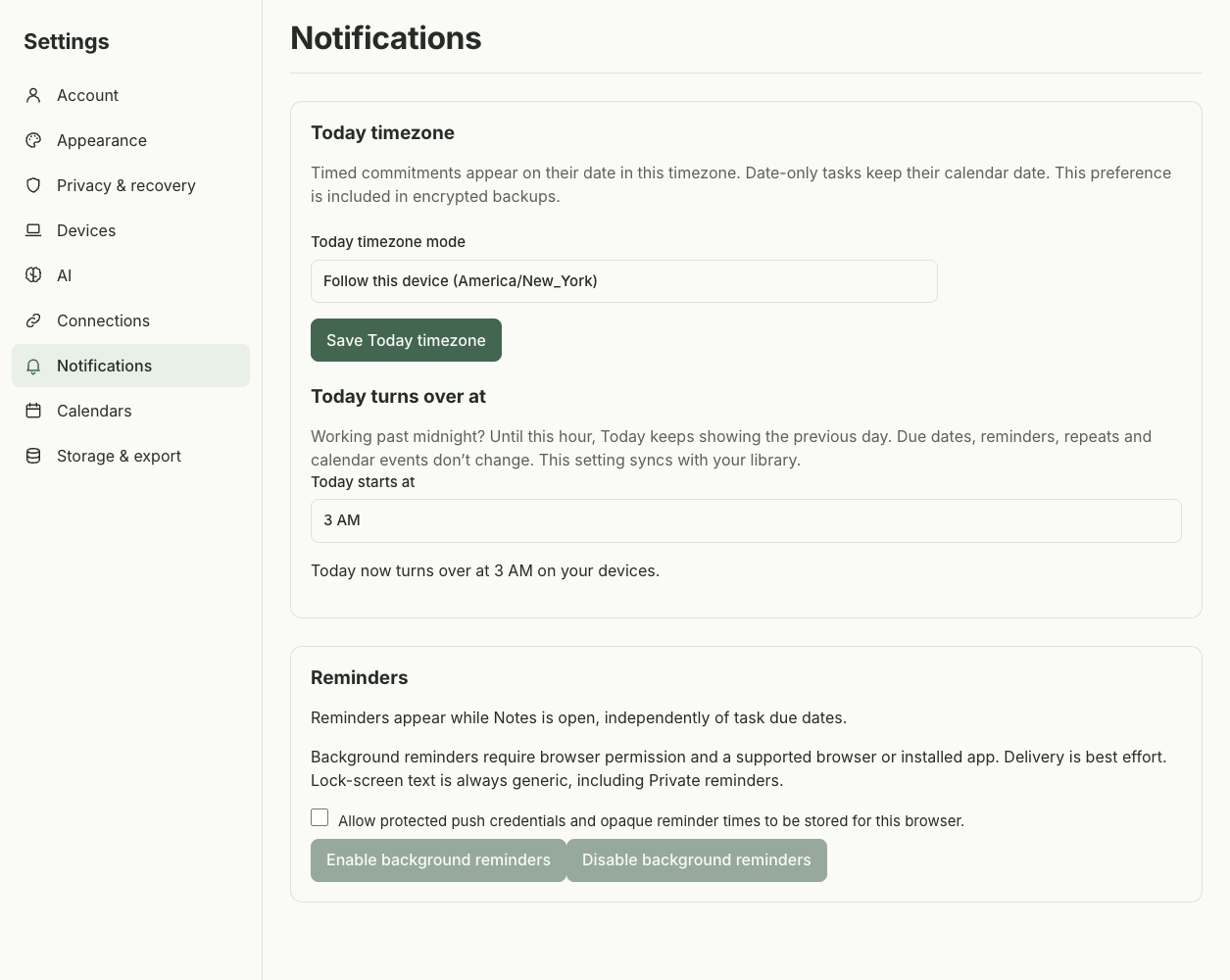
Go to Settings → Notifications and find Today turns over at. Set Today starts at to midnight or a later hour through 6 a.m. If you choose 4 a.m., opening Today at 2 a.m. still shows the previous day in your selected timezone. This setting follows your library and leaves task deadlines, reminder times, repeats and calendar events unchanged.
Reminders
Reminders can appear while Emberel is open. To receive them in the background on a supported browser or installed web app:
- Go to Settings → Notifications and find Reminders.
- Allow the browser to store protected push credentials and reminder times.
- Choose Enable background reminders and allow notifications if your browser asks. Repeat on each browser you want to use.
Background delivery can be delayed or unavailable depending on your browser and system settings. Background reminders always use generic lock-screen text, including reminders from Private notebooks.